You can create a favorites list for your projects via the menu item "Window" -> "Favorites" in the Project Manager.

The favorites list will initially appear empty:
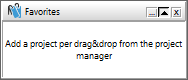
Now drag and drop the projects you use most frequently into this favorites list. The projects are not removed from the Project Manager.

Clicking on a project immediately starts the time measurement and launches the project in the timeline. This allows you to switch between your projects even faster.

Right-clicking on a list entry brings up a context menu with self-explanatory functions. There, for example, you can select the "Display" sub-item to show only the symbols (project types) of your projects.

This setting further reduces the size of your favorites list by eliminating the text, so you can display it on your desktop without any space issues.

You will also find a button for your favorites on the timeline. Clicking here will bring up a list of the projects in your favorites list:
