the configuration, you can specify whether you want to receive another timestamp overview of the times recorded today when you exit Xpert-Timer. There you can edit and adjust the timestamps again.
If there is a gap between two timestamps, this gap appears in white. If timestamps overlap, they are marked in red. If all timestamps are contiguous, they are all displayed in green.
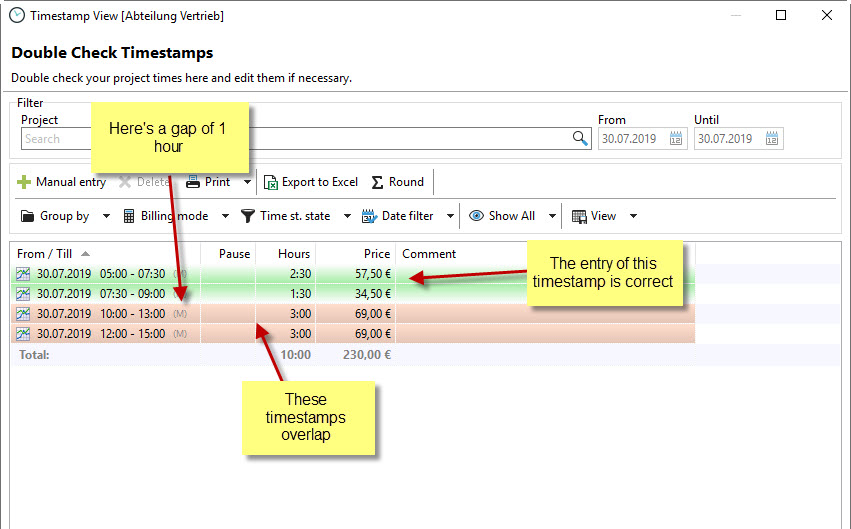
You can display the overlap markers maximized as in our example, or only as a small block to the left of the project type. You can set the overlap marker by right-clicking on a timestamp:

This allows you to see at a glance whether you need to make any changes to the timestamps.