Xpert-Timer offers a very convenient way to inform your employees about the status of the project.
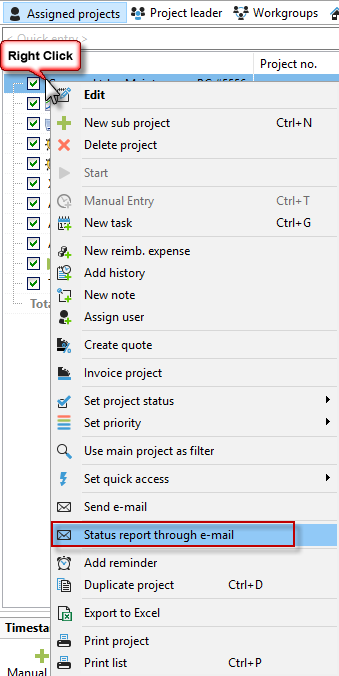
To use this feature, right-click on one of the buttons and activate the "Send email report" button in the timeline.

When you click on the "Send email report" button in the timeline of the current project, you will be presented with a selection of sending options.


Select whether you want to:
1. Send the complete main project with its subprojects.
2. You only want to send the main project and its total amount.
3. You only want to send the subproject and its total amount.
You can also send a status report by email in the Project Manager by right-clicking on a project.
In the next step, enter the title of the report in the "Report options" dialog and select a template if desired. Then click OK and enter the recipient for the email report in the next dialog, "Send email report." You can customize both the subject line and the email text according to your needs. The "Display report" button allows you to view the .pdf report again before sending it.
